Angular Event binding
In Angular applications, an event is triggered when the user interacts with an application like mouse click, mouse over, button click , input etc. event binding is something when you want to perform some action on those events.
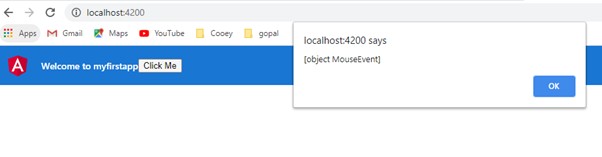
Let see how a click event works. We need to add below code in html. A simple button and a click event listeners, it will call a function “myfun” when the button is clicked.
<button (click) = "myfun($event)"> Click Me </button>
In app.component.ts, function myfun is declared and it will produce an alert with the event.
import { Component } from '@angular/core';

@Component({
  selector: 'app-root',
  templateUrl: './app.component.html',
  styleUrls: ['./app.component.css']
})
export class AppComponent {
  title = 'myfirstapp';

  myfun(event){
    alert(event);
  }
}
Below screenshot will show the output of this screen.
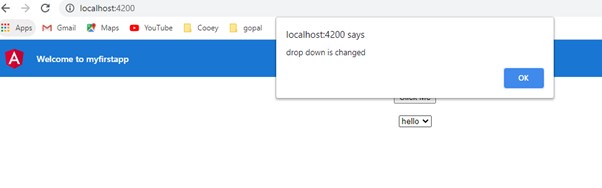
Similarly let see how an onChange event works on a drop down.
Below html code is added to app.component.html
  <select (change) = "myonChange($event)">
    <option>hello</option>
    <option>world</option>
  </select>
Function myonchange is added to app.component.ts
  myonChange(e){
  alert('drop down is changed',e);

  }
Below screenshot shows the output on the browser, we can see the alert popup when we change the dropdown option.