Launch EC2 Instance
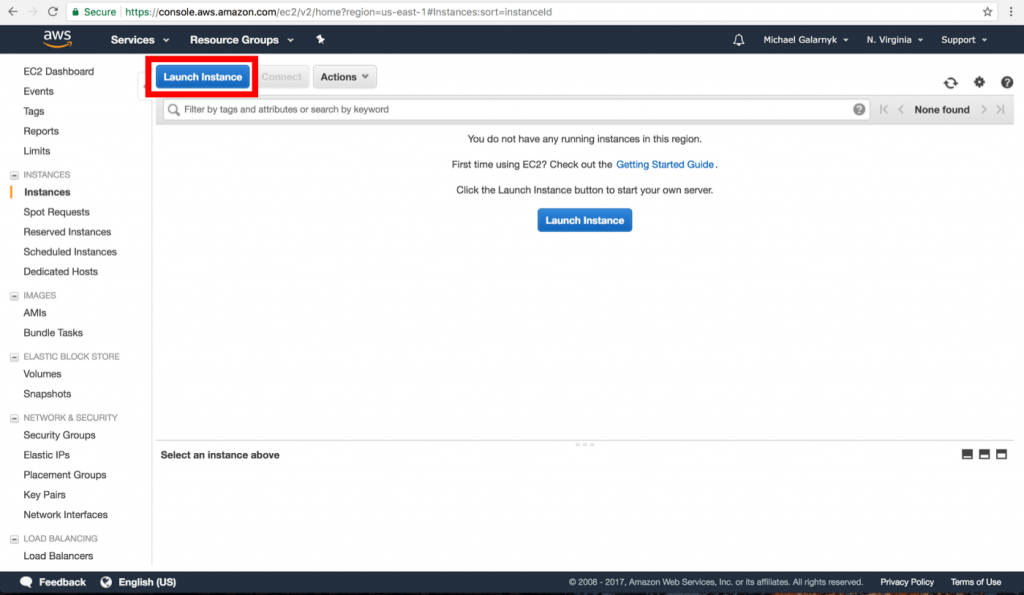
Step 1: Go to Services from there choose EC2 service then from the Amazon EC2 console, click on Launch Instance.
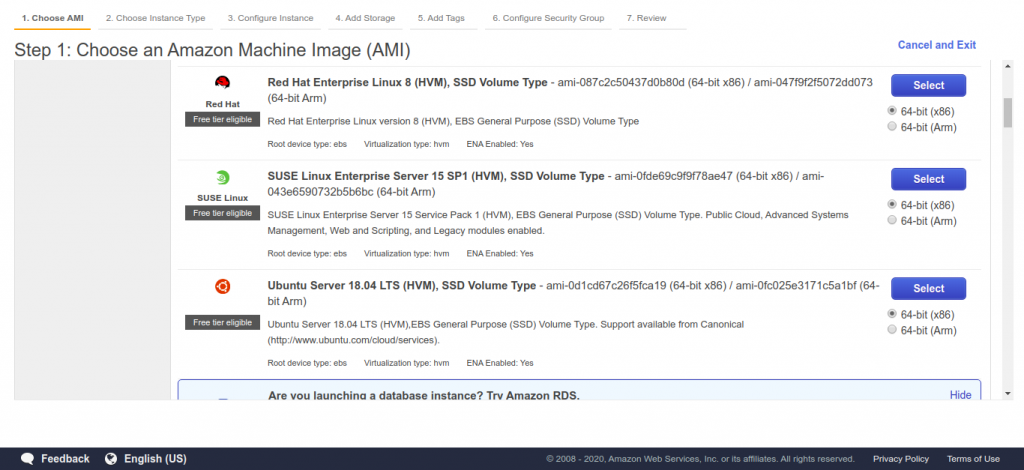
Step 2: Choose Ubuntu AMI
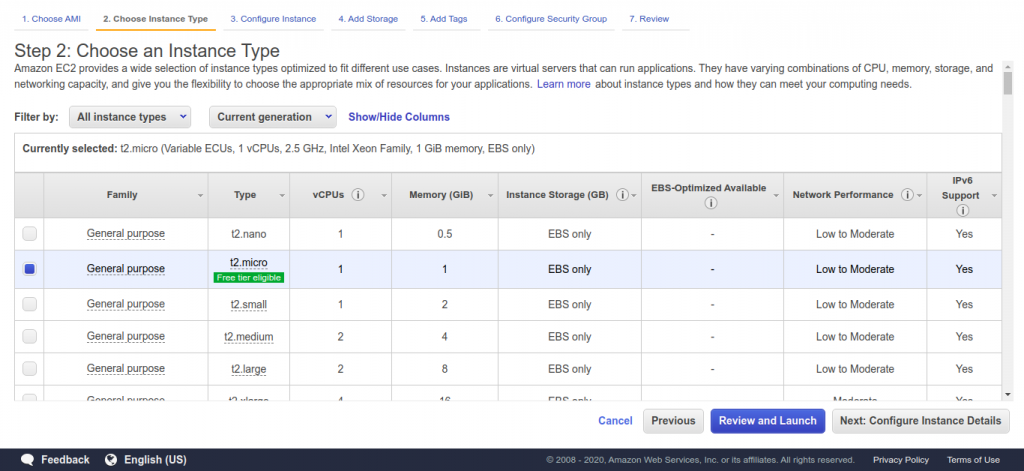
Step 3: Select Free Tier t2 micro as Instance type for learning purpose as it comes under the Free Tier.
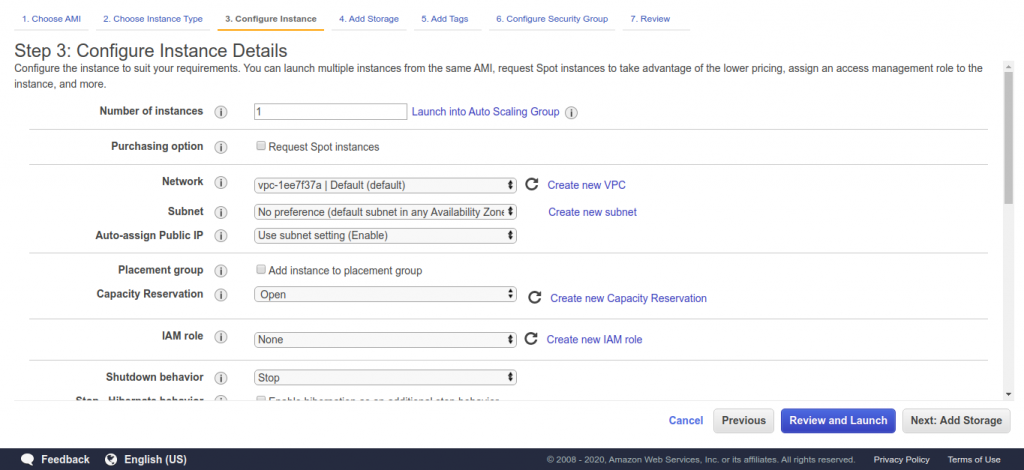
Step 4: Configure Instance Details
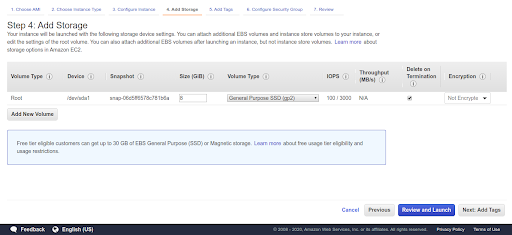
Step 5: Add Storage i.e. Elastic Block Storage
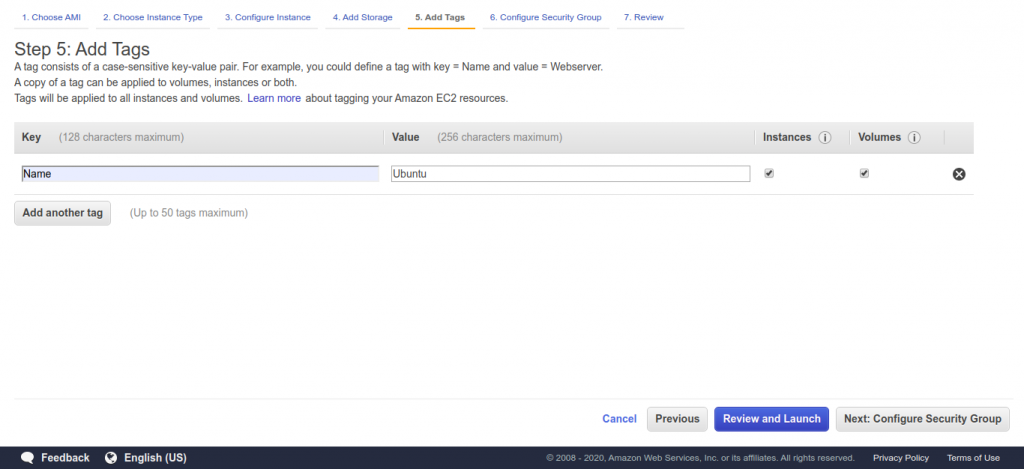
Step 6: Add a tag if you want to, which means provide the name to your instance.
Step 7: Create Security Group i.e. firewall
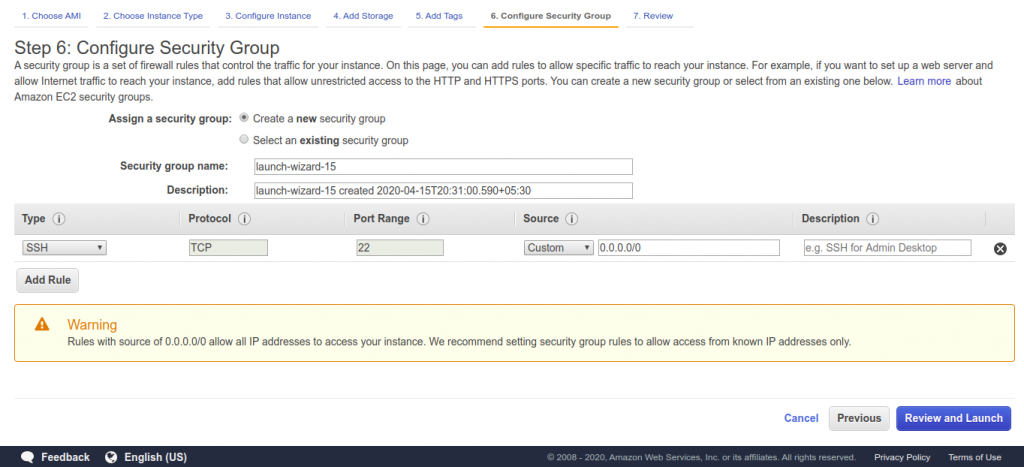
Note: Make sure port 22 is open.
Step 8: Review your instance’s configuration
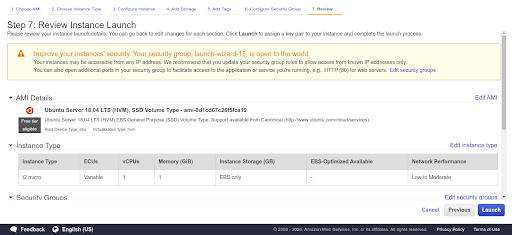
Step 9: Create Key pair and download for secure login
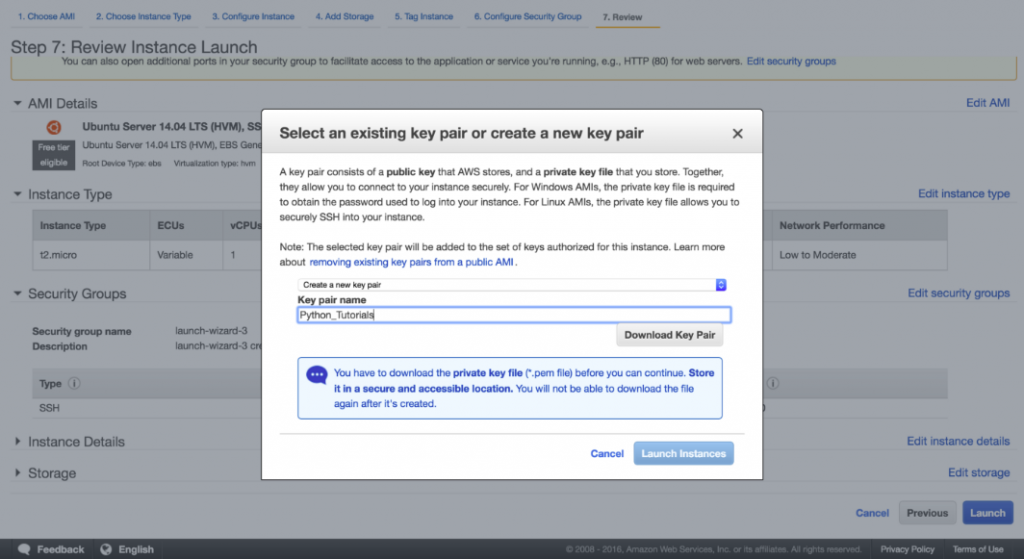
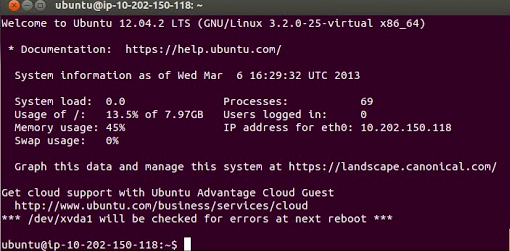
Step 10: Finally, login to your Instance
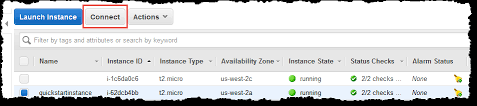
Select your instance and click on connect.
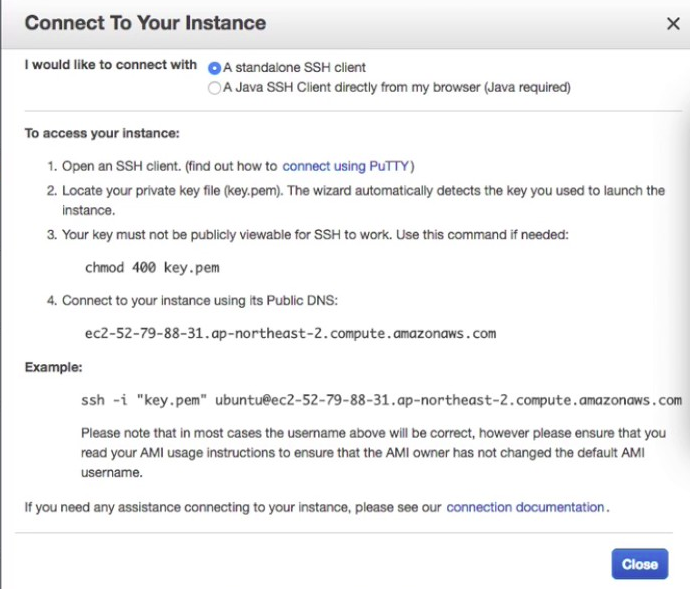
Use the chmod command to make sure your private key(.pem) file isn’t publicly viewable.
chmod 400 /path_to_key/my_key.pem
Finally, SSH to your EC2 instance
ssh -i /path_to_key/my_key.pem user_name@public_dns_name