NodeJs File System
Read a file
Create a demo.txt with following content
Welcome to node.js
Create a fileService.js with below code and run this application to fetch the data from demo.txt and print it in console.
var fs_module = require('fs');
fs_module.readFile('demo.txt', function(err, data) {
	console.log(data.toString());  // content / data inside the file
});
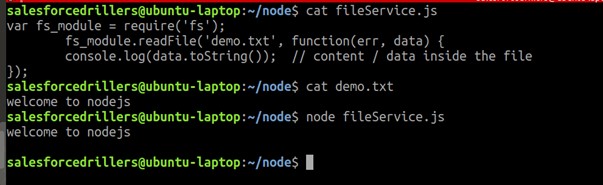
Below screenshot shows outcome of the program:
Append a file
Add below code is to append a string or content to a file named demo.txt.
//append a file
fs_module.appendFile('demo.txt', 'Hello world!!!', function (err) {
  if (err) throw err;
  console.log('Saved in file!!!');
});
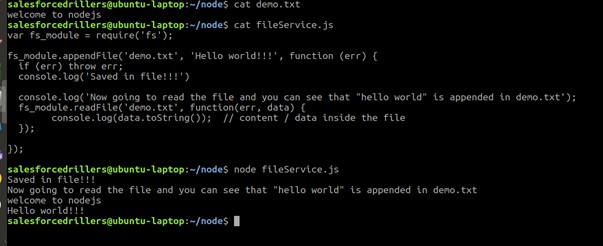
Let’s update the fileService.js with above code and run the application.
Below Screenshot shows content and output of this program.
Open a file
Create a file named fileOpen.js with below code. The code will open a txt file in write mode and fs.writefile method is used to add content to the txt file.cr
var fs_module = require('fs');
//open a file in write mode
fs_module.open('demo1.txt', 'w', function (err, file) {
  if (err) throw err;
  console.log('-----------file Opened for writing -----------!!!');
//write to a file
  fs_module.writeFile('demo1.txt', 'Hello world!!!', function (err) {
     if (err) throw err;
     console.log('file write is completed!!');
  });
});
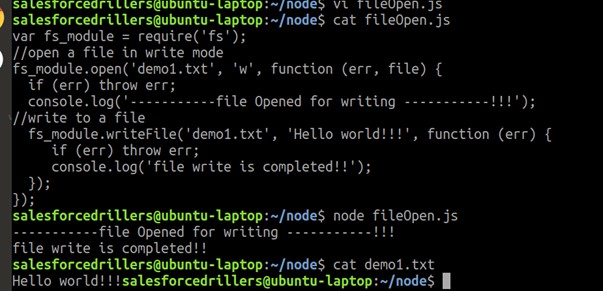
Below screenshot show the outcome of this program.
Delete a file
Create a file fileDelete.js with below code and run this application.
var fs_module = require('fs');
fs_module.unlink('demo.txt', function (err) {
  if (err) throw err;
  console.log('File deleted!');
});
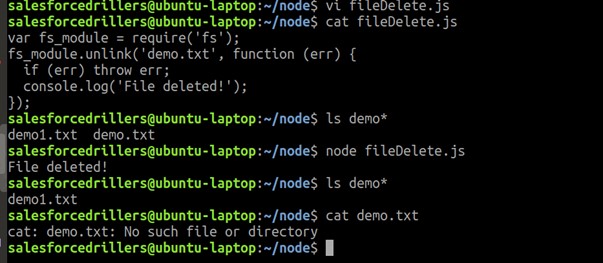
Below screenshot show the outcome of this program.
Rename a file
Similarly create a js file with below code and run this application.
var fs_module = require('fs');
//Rename a file
fs_module.rename('demo1.txt', 'demo.txt', function (err) {
  if (err) throw err;
  console.log('File Renamed!');
});
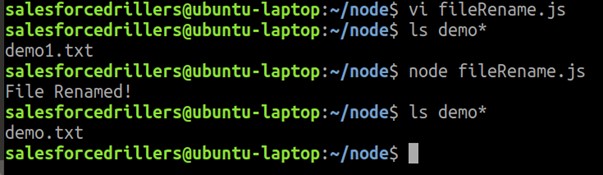
Below screenshot show the outcome of this program.